
In the digital age, companies handle large volumes of sensitive data, becoming an attractive target for cyberattacks. A cloud-based endpoint security solution allows protection for all devices connected to the corporate network, from computers and servers to mobile devices.
In an environment where cyberattacks are constantly evolving, having a cloud endpoint security solution, such as Webroot Business Endpoint Protection, is an essential investment to ensure your business continuity and data protection.
And to help you make a decision on this matter, below you have a thorough analysis of this cloud-based security solution.
[

Webroot Business Endpoint Protection
4.9PaidComprehensive Security Solution for BusinessesVisit Website](https://bitdefender.f9tmep.net/c/310668/1774682/4466?subId1=S4BArticle2CTA1)
What is Webroot Business Endpoint Protection?
For all of you who are interested and do not know it, Webroot Business Endpoint Protection is a cloud-based cybersecurity solution designed to protect business devices and networks against threats such as malware, ransomware, phishing, and other cyberattacks.
Unlike traditional antivirus programs, it uses artificial intelligence and machine learning to detect and block threats in real time, without the need for large signature updates. And since it is very well built, the tool operates without affecting the performance of the protected devices.
One of its main features is centralized management through the cloud, which facilitates monitoring and managing the security of multiple devices from a single platform. This is especially useful for companies with distributed teams or remote workers.
Additionally, Webroot Business Endpoint Protection employs predictive analytics to identify and neutralize emerging threats before they can cause damage, which enhances the security of the business IT infrastructure.
Another key benefit of Webroot Business Endpoint Protection is its rapid deployment capability and its integration with other security and IT management solutions. Thanks to its cloud-based architecture, updates and scans are performed efficiently and without disruption to users.
In our opinion companies should use Webroot Business Endpoint Protection because it provides them with a solution for businesses seeking a scalable cybersecurity tool.
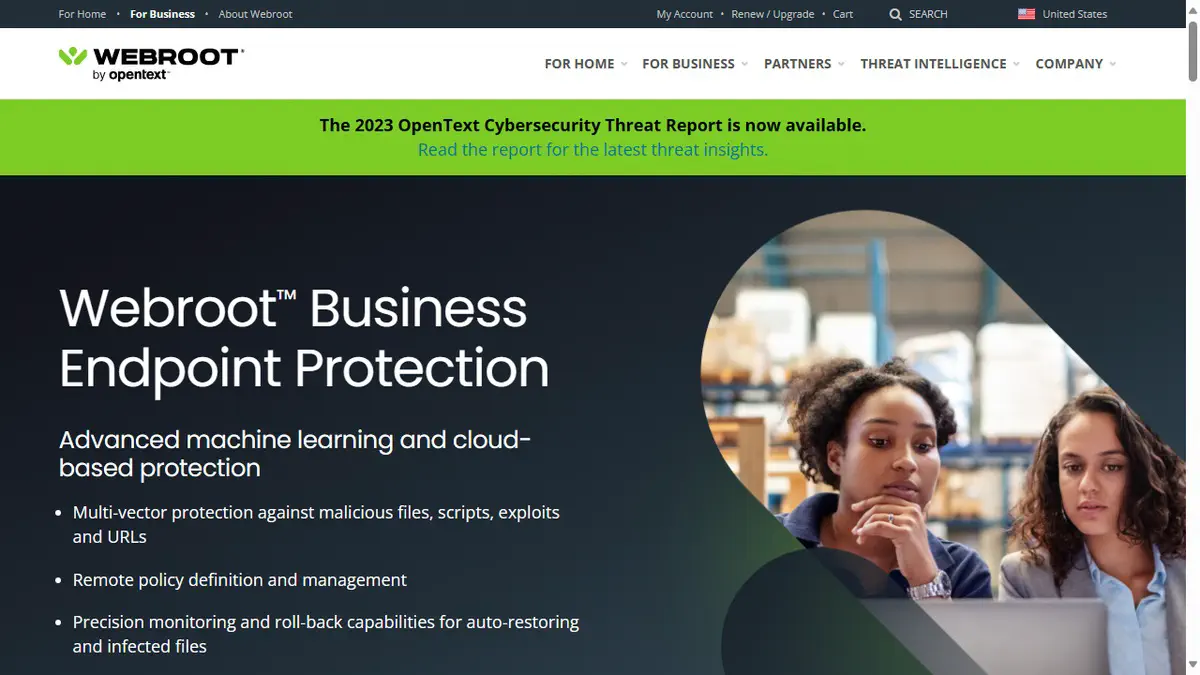
Why choose Webroot Endpoint Protection (EDR)?
Unlike traditional solutions, endpoint detection and response tools like Webroot offer real-time monitoring, advanced threat detection, and automatic updates. This ensures protection against malware, ransomware, and other attacks without the need for manual intervention.
Additionally, being a cloud-based solution, it allows centralized and scalable management, making it easier to manage security in companies with multiple branches or employees working remotely.
Through a single control panel, administrators can monitor the security status of all devices, apply protection policies, and respond quickly to incidents. This reduces the response time to threats and improves operational efficiency, avoiding the need for costly and difficult-to-maintain security infrastructure.
Finally, Webroot Business Endpoint Protection offers a high level of flexibility and adaptability to emerging threats. Thanks to artificial intelligence (AI) and machine learning, it is possible to analyze suspicious behavior patterns and detect attacks before they cause damage.
Main Features of Webroot Business Endpoint Protection
Before choosing a cloud-based security solution, it is vital to know if its functions meet our needs. For this, we summarize the main functionalities of Webroot Endpoint EDR:
- Cloud-based: Does not require local servers or manual updates.
- Lightweight and fast: Minimal system resource consumption without affecting device performance or speed.
- Real-time protection: Uses artificial intelligence and machine learning to detect and block threats.
- Defense against multiple threats: Protects against malware, ransomware, phishing, and zero-day attacks.
- Predictive analysis: Identifies and neutralizes emerging threats before they cause damage.
- Centralized management: Remote management of devices and servers from a cloud console.
- Automation and ease of use: Reduces workload for IT teams. Detects and responds to any attack automatically without the need to click.
- Quick deployment: Easy installation and configuration in minutes.
- Integration with other solutions: Compatible with IT management platforms and security tools.
- Rollback and ransomware protection: Allows reverting changes and restoring affected files.
These features make Webroot an attractive option for companies seeking effective protection without complications.
Pros and Cons of Using Webroot Business Endpoint Protection
Although it is a cloud-based security solution recommended by many users and businesses, Webroot Business Endpoint Protection may not meet the needs or expectations of some potential clients.
To find out if this is the software you are looking for, we have created a list of pros and cons of Webroot Business Endpoint Protection to make it easier for you to discover.
Advantages of Webroot Business Endpoint Protection:
- Low impact on your company’s performance: Operates with minimal resource consumption, without slowing down devices.
- Real-time protection: Detects and blocks threats instantly, such as fake websites or malware, thanks to its cloud-based technology.
- Remote and centralized management: Allows monitoring and managing security from anywhere.
- Easy implementation: Quick installation without the need for complex configurations.
- Automatic updates: Requires no manual maintenance or constant signature downloads.
- Ransomware prevention: Blocks attacks and offers recovery of affected files.
- High detection rate: Uses artificial intelligence and machine learning to identify new and advanced threats.
- Fast and efficient scanning: Analyzes files and processes without affecting the user’s work.
- Compatibility with other tools: Easily integrates with IT management and security solutions.
- Affordable cost: Cost-effective solution with excellent value for money.
Cons of Using Webroot Business Endpoint Protection:
- Cloud dependency: Requires an Internet connection to fully leverage its security features.
- Limited protection offline: Its detection capability on offline devices may be less effective than online.
- Fewer customization options: Compared to other advanced solutions, it offers fewer advanced settings for expert users.
- Compatibility with not all systems: May not integrate perfectly with certain security solutions or legacy software.
- Improvable technical support: Some users report longer response times compared to other providers.
- Less visibility in detailed reports: The management console could offer deeper analysis compared to competitors.
Absence of a dedicated firewall: Does not include a dedicated firewall, so it may require a complementary solution.
Audience: Who is this cloud cybersecurity tool for?
At this point in the analysis, it’s normal to be wondering if Webroot Business Endpoint Protection is a cloud-based security solution suitable for your SME. To clear up your doubts, we have made a list of the types of users who can benefit from this platform. They are as follows:
- Small and medium-sized enterprises (SMEs): Companies that need effective protection without high costs or complex IT infrastructure.
- Companies with remote workers: Allows management and monitoring of security on distributed devices from a cloud console.
- Corporations with multiple locations: Facilitates security management across different locations without the need for local servers.
- Managed service providers (MSPs): Ideal for companies managing the security of multiple clients centrally.
- Startups and growing businesses: Offers a scalable solution without requiring hardware investments.
- Sectors with high exposure to threats: Companies in areas like finance, healthcare, or technology that need advanced protection against malware and ransomware.
- Businesses without a dedicated IT team: Its automation reduces the need for manual intervention in security.
- Users seeking a lightweight and efficient solution: Individuals or companies that need protection without slowing down devices.
- Companies with basic security needs: Businesses that require fundamental protection without advanced configurations.
Webroot Endpoint Protection is an excellent option for any company looking for easy-to-manage, cloud-based security with minimal impact on performance.
Reasons to Adopt -or Not- Webroot Endpoint Protection
Now that you know the advantages of Webroot Business Endpoint Protection, it’s time to consider the experience and opinions of its users. After conducting a market study, we have gathered the reasons why companies choose this tool for their cybersecurity:
Why Users Switch to Webroot Business Endpoint Protection
Users usually switch to Webroot Business Endpoint Protection because they are looking for a lighter, more efficient, and easier to manage security solution compared to traditional antivirus software.
Many security solutions consume too many system resources, slowing down devices and affecting productivity. Webroot, being a cloud-based platform, performs fast and automatic scans without overloading performance, which is especially useful for companies with multiple devices or employees working remotely.
Another key reason is the ease of management and administration. With a centralized cloud console, companies can monitor and protect all their endpoints from a single location, without the need for additional infrastructure.
This is a great advantage for small and medium-sized businesses (SMBs) or managed service providers (MSPs), who need an efficient solution without a large investment in IT staff.
Additionally, its artificial intelligence (AI) and predictive analytics technology enables the detection and blocking of emerging threats in real time, offering more advanced protection against attacks such as ransomware and phishing.
Finally, users switch to Webroot because they seek a solution with a good balance between cost and benefit. All this makes Webroot an attractive option for those who want reliable, accessible, and hassle-free protection.
Why Some Users Leave Webroot Business Endpoint Protection
Users might stop using Webroot Business Endpoint Protection in their companies for several reasons, one of the main ones being cloud dependency. Although this feature allows centralized management and automatic version updates, it also means that protection on devices without an Internet connection is limited.
Companies that operate in environments with network restrictions or require a high level of security without relying on the cloud may opt for solutions with more local control and customization options.
Additionally, some users report that the management console does not offer the level of detail and customization that other enterprise security solutions provide, which can be a drawback for organizations with advanced monitoring and analysis needs.
Finally, some users have expressed concerns about the slowness of technical support in resolving issues, which can affect their experience and lead them to switch security providers.
Prices and Discounts for Webroot Business Endpoint Protection (2025)
An important point when choosing Webroot Business Endpoint Protection is to know its different subscriptions and payment plans. This way we can get an idea of whether it fits within our business budget.
Depending on the size and needs of the company, Webroot offers tiered pricing and discounts for multi-year licenses. For businesses, the price of all plans starts at €137 per user per year and includes:
- Business Endpoint Protection: Provides antivirus and antimalware, time and money savings, protection against sophisticated cyberattacks, simplified management, and web filtering.
- DNS Protection: Offers accurate and reliable web ratings, timely enforcement, domain-level threat blocking, detailed on-demand reports, and high security.
- Security Awareness Training: Includes courses covering topics recommended by NIST, updated content, easy campaign and report management, and engaging material.
If your company has up to 25 employees, a small discount is applied and if you exceed 50 employees, Webroot asks you to contact them for a personalized offer.
It is also important to underline that there is a 30-day free trial of Webroot Endpoint Protection. Thanks to this, it is possible to test the features and results of this solution without committing to a subscription.
Implementation of Webroot Business Endpoint Protection
The implementation of Webroot Business Endpoint Protection in a company is quite simple and quick, thanks to its cloud-based architecture.
It does not require the installation of local servers or complicated configurations, which facilitates its deployment even for companies without a specialized IT team. The installation can be carried out remotely on multiple devices at once, allowing companies to protect their endpoints in minutes.
Additionally, Webroot offers a centralized management console that allows monitoring all devices from a single panel, simplifying security management without the need for constant manual intervention.
Another advantage is that the software has a low impact on device performance, so the implementation does not interrupt employees’ daily work. In summary, Webroot stands out for its ease of implementation, making it an ideal option for companies seeking an efficient and hassle-free security solution.

Webroot Business Endpoint Protection Training Resources
Webroot Business Endpoint Protection offers various training resources for businesses and IT teams with the goal of maximizing the effectiveness of their security solution. These resources include:
- Security Awareness Training: Webroot provides a security training program designed to educate employees and IT teams about cybersecurity, phishing, ransomware, and best protection practices. This program is continuously updated with content based on NIST recommendations.
- Documentation and Online Guides: Webroot offers detailed manuals, installation and configuration guides, as well as frequently asked questions to facilitate platform implementation and use.
- Webinars and Video Tutorials: The company organizes webinars and instructional videos explaining new threats, security strategies, and efficient use of the platform.
- Technical Support and Community Forums: IT administrators can access technical assistance and an online community where they can share experiences and get advice from other professionals.
- Cyberattack Tests and Simulations: Through Security Awareness Training, Webroot allows phishing simulations to assess employee preparedness and improve their threat detection skills.
These resources help businesses strengthen their security and train their IT team for better management of protection against cyber threats.
Usability and Interface
The usability and interface of Webroot Business Endpoint Protection are designed to be intuitive and easy to use. This facilitates its deployment and management, even for companies without a specialized IT team.
The centralized management console, accessible through the cloud, allows administrators to manage and monitor all protected devices from a single control panel.
This interface is clean, simple, and well-structured, allowing users to quickly find the functions they need without navigating through complicated menus.
Configuration options and reports are also easy to understand, enabling even users without technical experience to operate the system smoothly.
The usability is enhanced by the fact that it requires no maintenance or constant intervention. Scans, updates, and real-time protection are managed automatically, allowing IT administrators to focus on other tasks without worrying about security.
Is Webroot Business Endpoint Protection a secure tool?
Yes, Webroot Business Endpoint Protection is a secure tool that uses various advanced technologies and protocols to ensure the protection of company endpoints.
Here we explain how it ensures the protection of your company:
- Artificial Intelligence (AI) and Machine Learning: Detects and blocks threats in real time by analyzing behavior patterns instead of relying solely on malware signatures. It also identifies and neutralizes new or unknown threats (zero-day attacks) through a proactive approach.
- Cloud threat database: Webroot uses a constantly updated cloud-based database to enhance protection against new threats. Being cloud-based, the database does not depend on manual updates, allowing a rapid response to new attacks.
- Data encryption (TLS): It employs Transport Layer Security (TLS) to encrypt communication between the endpoints and the cloud management console, ensuring that data is protected against interception.
- Ransomware protection: Webroot includes specific technologies to detect suspicious behaviors related to ransomware and block them before files are encrypted. It also offers the option to reverse unwanted changes and restore files affected by ransomware.
- Cloud-based protection: The solution uses the power of cloud computing to perform real-time analysis without affecting device performance. The cloud infrastructure enables dynamic protection, where data and threats can be analyzed and mitigated centrally and efficiently.
- Predictive analysis and proactive prevention: Uses predictive algorithms that allow anticipating and preventing attacks before they materialize, enhancing defense against emerging threats.
- Compliance with industry standards: Webroot adheres to industry security standards to ensure a high level of protection, and integrates well with other enterprise security solutions.
Thanks to these technologies and protocols, Webroot Business Endpoint Protection provides effective, fast protection with low performance impact, ensuring that companies can protect their systems without compromising their operations. A topic we have covered several times in our analysis.
Customer Service
The customer service of Webroot Business Endpoint Protection is generally well rated by companies, although there are some aspects that can be improved depending on the user’s needs. Below, we detail some key aspects about Webroot’s customer service:
- 24/7 Technical Support: Webroot offers technical support 24 hours a day, 7 days a week, ensuring that users can get help at any time to resolve issues or questions about the tool. Support is available through live chat, email, and phone, which facilitates quick problem resolution.
- Dedicated Support for Businesses and MSPs: For businesses and managed service providers (MSPs), Webroot offers specialized support. This includes assistance with managing multiple accounts and advanced platform configuration. The experience for these users is usually more personalized and focused on their specific needs.
Although it is well rated, some users have reported that response times can be longer than expected, especially when more specialized assistance is required. While the support is competent, some clients feel there is room for improvement in the speed of resolving complex issues.
Alternatives to Webroot Business Endpoint Protection
There are several alternatives to Webroot Endpoint Protection that companies can consider depending on their security needs, budget, and ease of management. Here are some of the most notable options:
- Sophos Intercept X: Protects against ransomware, malware, exploits, and zero-day attacks. It also uses artificial intelligence for advanced threat detection. Offers a centralized cloud management console and integration with Firewall and MFA (multi-factor authentication).
- CrowdStrike Falcon: It is a cloud-based security solution with endpoint detection and response (EDR). Protects against malware, ransomware, and zero-day attacks. Includes real-time analysis of events and suspicious behaviors. Also features artificial intelligence and uses big data to detect advanced threats.
- Bitdefender GravityZone: Offers protection against malware, ransomware, and software vulnerabilities. Centralized cloud security management. Includes Firewall and antiphishing as part of the security suite. Also has network protection and web filtering features.
- Trend Micro Worry-Free Business Security: Protects against ransomware, malware, and phishing attacks. Includes data loss prevention (DLP) and access control tools. It is also possible to monitor and protect in real time through the cloud. Finally, it features centralized device management and security policy enforcement.
Microsoft Defender for Endpoint: Defender for Endpoint provides protection against malware, ransomware, and zero-day attacks. One of its strengths is its native integration with the Microsoft 365 and Azure ecosystem. It can also detect advanced threats with Microsoft security intelligence. Finally, note its centralized management console and EDR (endpoint detection and response*)*.
Thinking about alternatives?
Conclusion: Do we recommend Webroot Business Endpoint Protection?
Yes, Webroot Business Endpoint Protection is a cloud-based endpoint security solution that leverages machine learning for threat detection and prevention. This tool is perfect for SMBs and IT teams seeking the perfect balance between security and ease of use with minimal system impact .
Here are the key points from our analysis of Webroot Business Endpoint Protection:
- Final score: Our final score is 8.3 out of 10, making it a strong candidate for businesses looking for a fast, efficient, and easy-to-use security tool.
- Who should avoid it?: Larger companies that require deeper security analytics or AI-driven detection may prefer alternatives such as Bitdefender or CrowdStrike Falcon.
- Our favorite feature: Unlike traditional antivirus solutions, Webroot does not slow down devices, making it ideal for businesses with multiple endpoints.
- Biggest drawback: While it provides solid endpoint security, it lacks some advanced enterprise-level security features compared to competitors.
Best alternative: Bitdefender GravityZone is a more comprehensive cybersecurity solution with richer threat intelligence and advanced ransomware protection. However, it may consume more resources.